
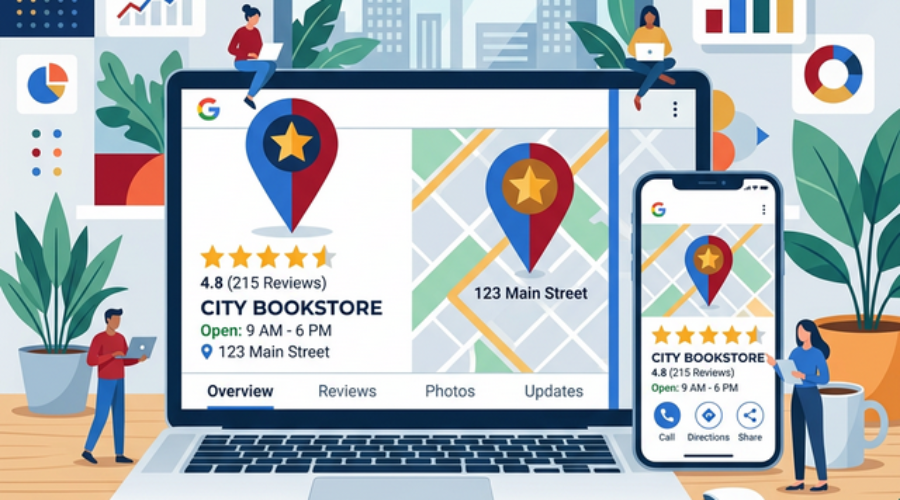
Google My Business: The Complete Guide for UK Local Shops
What Is Google My Business?
Google Business Profile (formerly Google My Business) is a free tool that lets you manage how your business appears on Google Search and Google Maps. For UK local businesses, it’s arguably the single most important piece of digital marketing you can do — and it costs absolutely nothing.
Why It Matters for UK Shops
When someone searches “coffee shop near me” or “plumber in Leeds,” Google displays a Local Pack — a map with three business listings. Appearing in this pack can mean the difference between a customer choosing you or your competitor. In fact, 46% of all Google searches have local intent.
Step 1: Claim Your Profile
Visit business.google.com and search for your business. If it already exists (Google often creates listings automatically from public data), claim it. If not, create a new listing. You’ll need to verify ownership, usually by receiving a postcard at your business address.
Step 2: Complete Every Section
Google rewards completeness. Fill in:
- Business name — exactly as it appears on your signage
- Address — use your full, correct postcode
- Phone number — a local number builds trust
- Website — link to your homepage or a location-specific landing page
- Opening hours — include bank holiday hours
- Business category — choose the most specific option available
- Business description — use relevant keywords naturally
Step 3: Add High-Quality Photos
Businesses with photos receive 42% more requests for directions and 35% more clicks to their website. Upload photos of your storefront, interior, products, team, and any recent events. Aim for at least 10 photos, and add new ones monthly.
Step 4: Collect and Respond to Reviews
Reviews are a major ranking factor. Develop a systematic approach:
- Ask happy customers to leave a review (send them a direct link)
- Respond to every review within 24 hours
- Thank positive reviewers by name
- Address negative reviews professionally and offer to resolve issues offline
Step 5: Post Regular Updates
Google Business Profile allows you to publish posts — think of them as mini social media updates that appear directly in search results. Share offers, events, new products, or helpful tips. Posts expire after seven days, so aim for at least one per week.
Step 6: Use the Q&A Feature
Pre-populate your Q&A section with frequently asked questions and answers. This helps potential customers find information quickly and demonstrates that you’re attentive and responsive.
Step 7: Track Your Performance
Google provides Insights showing how customers find you, what actions they take, and how your listing compares over time. Review these monthly and adjust your strategy accordingly.
Common Mistakes to Avoid
- Using a PO Box instead of your actual business address
- Stuffing keywords into your business name
- Having inconsistent information across different directories
- Ignoring negative reviews
- Letting your profile go stale with outdated photos and hours
Get Started Today
Setting up and optimising your Google Business Profile takes about an hour. The ongoing maintenance — responding to reviews, posting updates, adding photos — takes just 15 minutes a week. For the visibility it provides, it’s the highest-ROI marketing activity available to any UK local business.
Pair your Google Business Profile with a listing on YourLocalBusiness.co.uk to maximise your local visibility.